- Prototype Logic: Building Realistic Interactions Without Code
- Why is transitioning from Static to Dynamic crucial?
- Comparison: Static vs. Click-Through vs. Logic-Based
- How does a prototype facilitate User Testing Simulation?
- How does high-fidelity prototyping reduce Technical Debt?
- What is the role of Component Architecture in prototyping?
- 1. What is the difference between a wireframe and a prototype?
- 2. Which tools are best for high-fidelity prototyping?
- 3. How long does it take to build a high-fidelity prototype?
- 4. Do I need to know how to code to prototype?
- 5. Can developers inspect prototype logic?
- 6. What is a "state" in UI design?
- 7. How detailed should my transition effects be?
- 8. What are "conditional interactions"?
- 9. Is high-fidelity prototyping worth it for small projects?
- 10. Can I export code from a prototype?
- 11. What is "variable prototyping"?
- 12. How do I hand off a prototype to developers?
- 13. Why does my prototype feel "clunky"?
- 14. Can I prototype voice interactions?
- 15. How often should I test my prototype?
- External Resources
Prototype Logic: Building Realistic Interactions Without Code
Static screens are professional liars. They promise a seamless experience but often hide usability flaws that only reveal themselves during development. To bridge the gap between a visual concept and a functional product, you must master the modern prototype.
What is an interactive prototype?
An interactive prototype is a dynamic simulation of a user interface that mimics the final product’s functionality. Unlike static wireframes, it uses state logic, transition effects, and clickable elements to validate user flows and interactions before a single line of code is written.
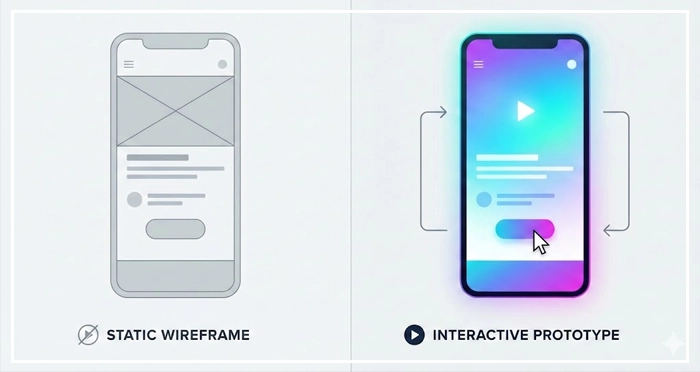
By moving beyond simple interactive mockups, designers can simulate complex behaviors. A click-through prototype offers a basic sense of flow, but a high-fidelity prototype powered by state logic reveals the true user experience. It encompasses transition effects, realistic user testing simulation, and refined micro-interactions.
Why is transitioning from Static to Dynamic crucial?
Flat design files often fail to communicate the “feel” of an application.
When you rely solely on static artifacts, you risk significant “translation errors” during the handoff phase. [Internal Link: Wireframing vs. Prototyping].
A dynamic prototype serves as the single source of truth. It resolves ambiguity regarding how elements behave when interacted with.
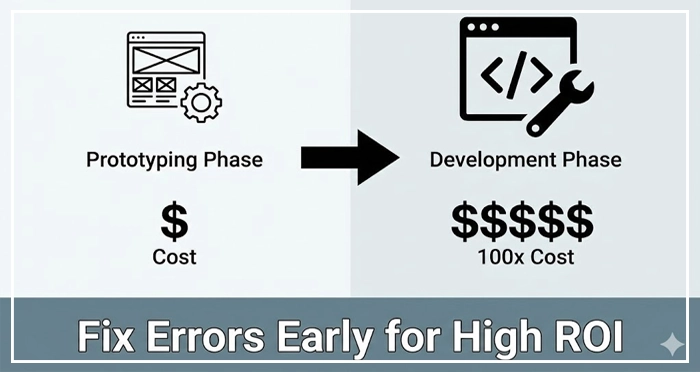
According to the Nielsen Norman Group, fixing a usability error during the prototyping phase is 100 times cheaper than fixing it after development. This ROI alone justifies the investment in logic-based design.
How does State Logic elevate a prototype?
The biggest leap in modern design tools (like Figma, Axure, or Protopie) is the introduction of variables and conditions.
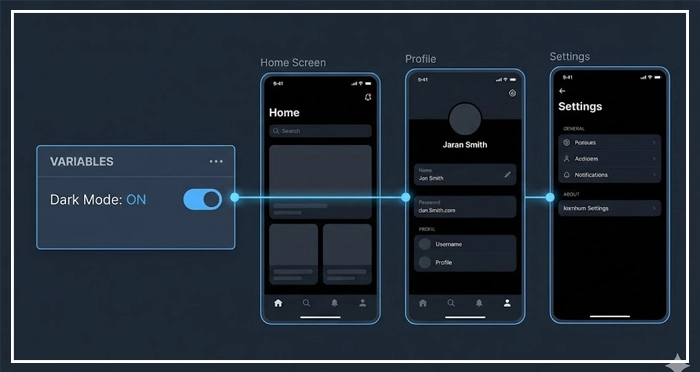
State Logic refers to the ability of a design file to “remember” choices.
Instead of duplicating screens to show a checkbox toggled “on” or “off,” you use variables. This reduces file bloat and creates a non-linear experience.
For example, if a user selects “Dark Mode” in settings, the prototype logic should update the variable across all screens instantly. [Internal Link: Figma Variables and Components].
Why are Micro-interactions and Transition Effects vital?
Fidelity isn’t just about pixels; it’s about time and motion.
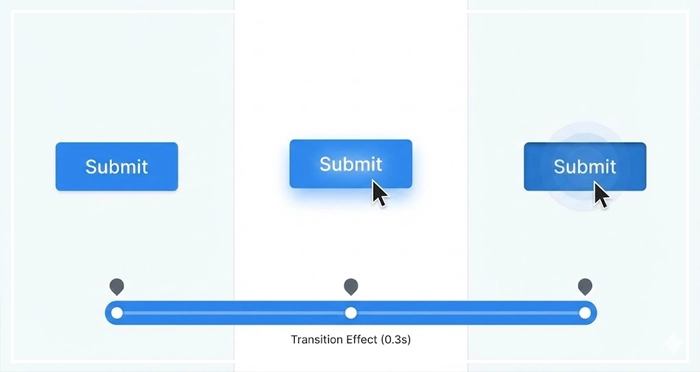
Transition effects guide the user‘s eye, establishing spatial relationships between screens. [Internal Link: Micro-interactions Guide].
If a modal slides up from the bottom, the user understands it is a temporary context. If it fades in, it suggests a deeper overlay.
These details, known as micro-interactions, define the polished feel of a product. They provide immediate feedback—like a button depressing or a loader spinning—which confirms the system is working.
Comparison: Static vs. Click-Through vs. Logic-Based
To understand the value of investing in logic, compare the three tiers of design artifacts.
| Feature | Static Wireframes | Click-Through Prototypes | Logic-Based Hi-Fi Prototypes |
| Primary Goal | Layout & Structure | Flow & Navigation | Functionality & State Validation |
| Interactivity | None (Visual only) | Linear (Page-to-Page) | Dynamic (Variables, Conditions, Input) |
| Testing Fidelity | Low (Concept testing) | Medium (Navigation testing) | High (Usability & Logic testing) |
| Dev Utility | Visual Reference | Flow Reference | Behavior & Logic Blueprint |
| Time Cost | Low | Medium | High (Initial) / Low (Revision) |
How does a prototype facilitate User Testing Simulation?
You cannot accurately test a complex form with a linear series of screenshots.
A user testing simulation requires the interface to react to user input realistically.
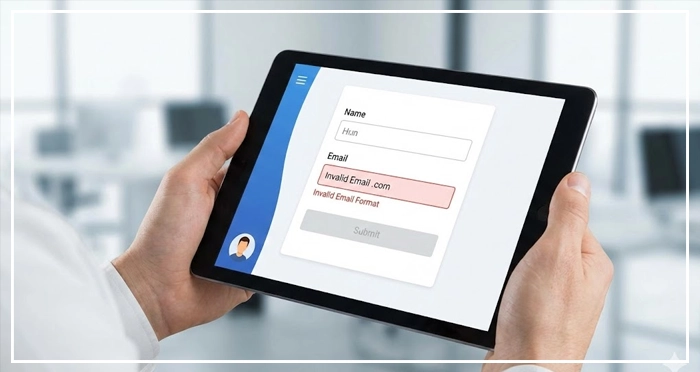
If a user enters an invalid email, the prototype should trigger an error state. [Internal Link: Usability Testing Scripts].
This level of realism ensures that test participants react to the product, not the limitations of the design tool.
How does high-fidelity prototyping reduce Technical Debt?
Ambiguity generates code bloat.
When developers have to guess how a specific interaction works, they often write temporary patches.
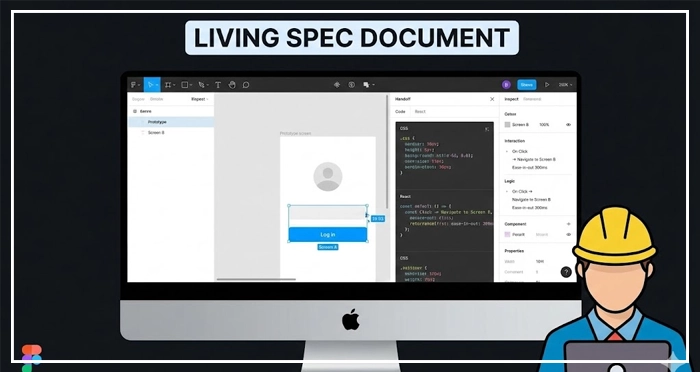
A rigorous prototype acts as a living spec document. It allows engineers to inspect the timing curves of transition effects and the logic of conditional flows. [Internal Link: Reducing Technical Debt].
This clarity streamlines the build process. It ensures the frontend team focuses on architecture rather than UI interpretation. [Internal Link: Developer Handoff Checklist].
What is the role of Component Architecture in prototyping?
You cannot build a scalable prototype without a solid design system.
Components must be built with variants (hover, pressed, disabled) to support interactive states. [Internal Link: Design Systems Architecture].
When interaction logic is embedded at the component level, the prototype becomes modular. A change to the “Submit Button” logic propagates everywhere instantly.
- Logic over Links: Modern prototyping prioritizes variables and state logic over simple page-linking.
- ROI of Fidelity: High-fidelity prototyping reduces development costs by catching logic errors early.
- Living Spec: The prototype serves as a dynamic documentation tool for developers.
- Realism Wins: Realistic micro-interactions and transition effects are necessary for accurate user testing results.
- Component Based: Successful prototyping relies on a robust library of interactive components.
1. What is the difference between a wireframe and a prototype?
A wireframe is a static, low-fidelity blueprint focusing on layout and structure. A prototype is a high-fidelity, interactive model that simulates the user experience and functionality.
2. Which tools are best for high-fidelity prototyping?
Figma (with variables), Axure RP, and ProtoPie are industry standards. Axure and ProtoPie offer deeper logic and sensor capabilities, while Figma is best for integrated design-to-prototype workflows.
3. How long does it take to build a high-fidelity prototype?
It depends on complexity. While it takes 30-50% longer than static design initially, it saves significant time during the development and QA phases by preventing errors.
4. Do I need to know how to code to prototype?
No, but understanding basic logic concepts (if/then statements, variables) is helpful. Modern tools provide visual interfaces to manage this logic without writing syntax.
5. Can developers inspect prototype logic?
Yes. Tools like Figma’s Dev Mode allow developers to see the variables, properties, and animation curves defined in the design, reducing guesswork.
6. What is a “state” in UI design?
A state refers to the specific condition of a UI element or screen at a given moment, such as a button being “disabled” or an input field having an “error.”
7. How detailed should my transition effects be?
They should match the intended CSS implementation. Define the duration (e.g., 300ms) and easing curve (e.g., ease-out) to ensure developers can replicate the feel exactly.
8. What are “conditional interactions”?
These are interactions that change based on criteria. For example: “If the cart is empty, disable the checkout button; else, navigate to checkout.”
9. Is high-fidelity prototyping worth it for small projects?
For very simple sites, it may be overkill. However, for any application involving user input, logic, or complex flows, the investment is usually justified.
10. Can I export code from a prototype?
Some tools offer code snippets (CSS, React, SwiftUI), but they rarely provide production-ready logic. The prototype is a visual reference, not a codebase.
11. What is “variable prototyping”?
This is a technique where you use data tokens (variables) to store information (like a user’s name or theme preference) and reflect it dynamically across the design.
12. How do I hand off a prototype to developers?
Provide the link to the interactive file, a recording of complex flows, and document the specific logic rules. Use a checklist to ensure nothing is missed.
13. Why does my prototype feel “clunky”?
This is usually due to poor transition timing or lack of “easing.” Linear animations feel robotic; adding easing curves makes movement feel natural.
14. Can I prototype voice interactions?
Yes. Tools like ProtoPie and Adobe XD support voice triggers and playback, allowing you to design conversational UI experiences.
15. How often should I test my prototype?
Test early and often. Run quick tests on click-through prototypes for flow, and deep usability tests on high-fidelity prototypes for logic and interaction validation.
External Resources
Here are 3 credible sources to further explore this topic:
- Intent Prototyping: A Practical Guide To Building With Clarity
- UX Collective: The Power of Micro-Interactions
- Interaction Design Foundation: The ROI of Usability