Do you need the perfect User Interface Course? It can significantly boost your design skills. You might be a beginner. Alternatively, you might be a graphic designer. In either case, finding the right User Interface Course is vital.
In fact, in 2025, companies need skilled UI designers. However, not all courses are good. For example, some are too theoretical. On the other hand, others just teach tools like Figma.
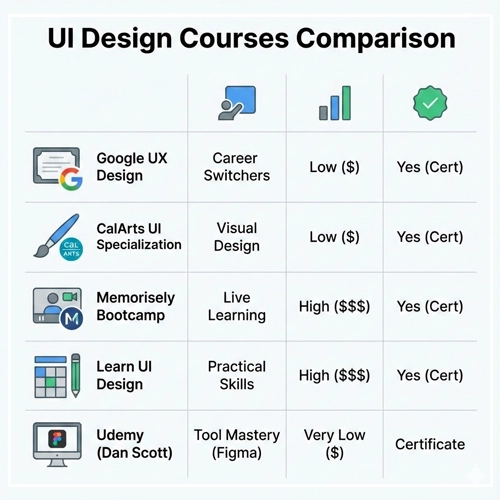
Therefore, we want to help you save time. Specifically, we ranked the top options below to help you find a great User Interface Course. We looked at the curriculum. Additionally, we checked the hands-on projects. Finally, we read student reviews.
Quick Comparison: Top 5 User Interface Course
Do you want a quick answer? Here is how the top courses compare.
| Course Name | Best For | Price Level | Certification |
| Google UX Design | Career Switchers | Low ($) | Yes |
| CalArts UI Specialization | Visual Design | Low ($) | Yes |
| Memorisely Bootcamp | Live Learning | High ($$$) | Yes |
| Learn UI Design | Practical Skills | High ($$$) | Yes |
| Udemy (Dan Scott) | Tool Mastery (Figma) | Very Low ($) | Certificate |
Why You Need a Specialized User Interface Course
Many beginners confuse UX (User Experience) with UI (User Interface). Although they work together, UI design is different. Specifically, it requires a specific eye. You must learn about type, color, and spacing.
Unfortunately, a general degree often misses these details. Consequently, a focused User Interface Course teaches you:
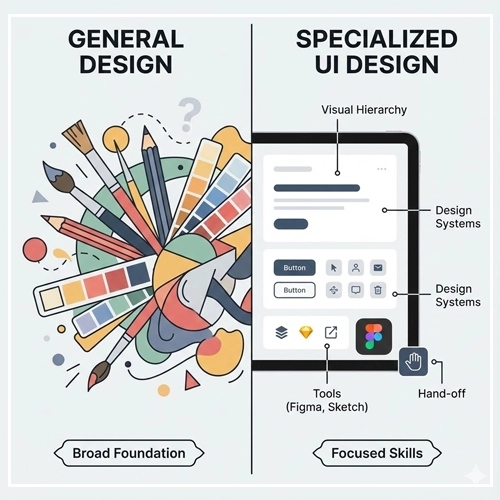
- Visual Hierarchy: First, how to guide the user’s eye.
- Design Systems: Second, how to build reusable parts.
- Tools: Third, how to master Figma or Sketch.
- Hand-off: Finally, how to send files to developers.
Top 5 UI Design Courses Reviewed
1. Google UX Design Professional Certificate
Best for: Beginners wanting a full career overview.
Initially, this is labeled as a “UX” certificate. Yet, it is a highly rated User Interface Course for beginners too. It covers the whole design process. Moreover, you will learn high-fidelity prototyping. Also, you will study UI looks in Figma.
- Pros: Very affordable. Plus, it is recognized by bosses. Covers both UX and UI.
- Cons: However, peer grading is not perfect. Also, it is less focused on advanced visuals.
- Verdict: A solid base. Nevertheless, you may need extra visual practice.
2. CalArts UI / UX Design Specialization
Best for: Designers who want to master visual looks.
This course comes from the California Institute of the Arts. Therefore, it might be the best User Interface Course for visuals. Unlike bootcamps that rush through theory, CalArts does not. Instead, they focus on artistic rules.
- Pros: Strong focus on type and images. Additionally, it is a university credential.
- Cons: Less focus on new tools. For instance, it misses some Figma features.
- Verdict: Great for a polished, pro portfolio.
3. Memorisely UI Bootcamp
Best for: Students who need a schedule and feedback.
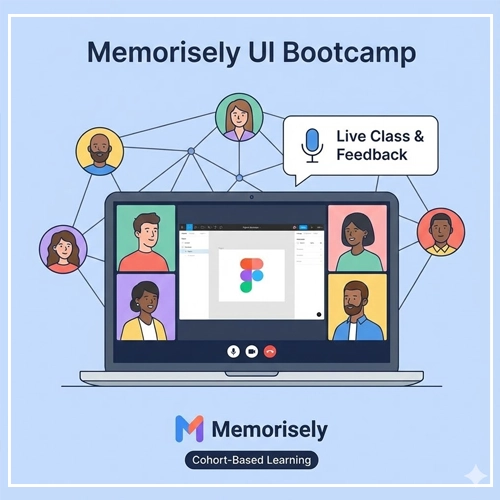
Self-paced videos can be boring. In contrast, Memorisely is different. It is a live User Interface Course. You attend small classes on Zoom. Furthermore, you learn with other designers. As a result, it is great for networking.
- Pros: Live feedback from experts. Very practical. Indeed, most students finish it.
- Cons: It costs more than Coursera. Also, you need a set schedule.
- Verdict: The best choice, provided you have the budget.
4. Erik Kennedy’s Learn UI Design
Best for: Practical, no-fluff visual skills.
This course is famous. Basically, Erik Kennedy uses logic to explain design. Do you stare at a blank screen? Or do you wonder what color a button should be? Happily, this course gives you the answer.
- Pros: Deep dive on color and type. Great videos. Plus, lifetime access.
- Cons: Expensive. Additionally, it only opens a few times a year.
- Verdict: The top choice for learning design logic.
5. Udemy: Figma UI UX Design Essentials
Best for: Learning the tools on a budget.
Sometimes, you just need to learn the software. Dan Scott’s course on Udemy is a bestseller. It is not a theory degree. Rather, it is a tactical guide. You will use Figma to build real sites.
- Pros: Very cheap on sale. Very hands-on. Also, covers new features.
- Cons: Lacks deep design theory. Thus, the certificate is basic.
- Verdict: A perfect “add-on” course. Ideally, take it with a theory program.
How to Choose a User Interface Course
Before you sign up, ask yourself three questions to pick the right User Interface Course:
- What is your goal? Do you want a job at a big tech firm? If so, look for certificates like Google’s. Otherwise, to freelance, build a portfolio with CalArts.
- What is your budget? You can learn for $20 on Udemy. But, you need discipline. Conversely, a $3,000 bootcamp is pricey, but it buys you coaching.
- Do you need tools or theory? You might know design rules but not Figma. In that case, pick a tool course. However, if you make “ugly” designs, pick a visual course.
Final Thoughts
Ultimately, the best User Interface Course is the one you finish. So, don’t watch too many tutorials. Instead, pick one course from above. Then, do the projects. Start building your portfolio today. After all, the industry needs your skills